



MSI EdgeXpert Gets NVIDIA DGX OS OTA 2610: A New Linux Kernel, Smarter Memory and a Full Firmware Refresh
Linux kernel 7.0, GPU driver 580.178.04, ConnectX-7 firmware 28.50.1002 and a new way to reclaim memory on headless systems are now available for MSI EdgeXpert.
Desktop AI supercomputers do their best work when the software underneath keeps pace with the models on top. MSI EdgeXpert now supports NVIDIA DGX OS OTA 2610, a platform update that refreshes everything from the Linux kernel and GPU driver to UEFI firmware, thermal management and networking.
EdgeXpert is built on the NVIDIA DGX Spark platform and powered by the NVIDIA GB10 Grace Blackwell Superchip. It runs NVIDIA DGX OS with the NVIDIA AI software stack preinstalled. OTA 2610 brings EdgeXpert in line with NVIDIA’s October 2026 DGX Spark software release.
Existing users can install the update in a few clicks: use DGX Dashboard to update Firmware and BSP. For fresh installs, recovery or imaging multiple units, the complete OS image is available on the MSI website.
More Memory for Headless and Memory-Hungry Workloads
EdgeXpert uses unified memory, so the CPU, GPU and display all share one pool of system memory. UEFI sets part of that pool aside for the display, and the operating system can’t use that portion for anything else.
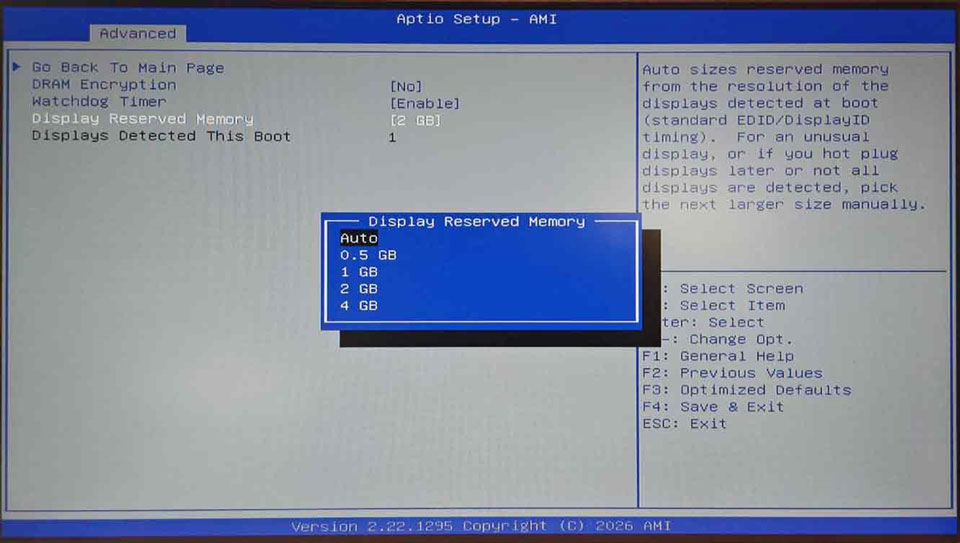
OTA 2610 makes that reservation adjustable. The Display Reserved Memory setting now offers Auto, 0.5 GB, 1 GB, 2 GB and 4 GB. The default stays at 2 GB, so nothing changes until you pick a new value. For headless or memory-intensive workloads, NVIDIA’s documentation recommends Auto or 0.5 GB, which frees up to 1.5 GB more memory for the operating system.
Auto checks which displays are connected at boot and reserves the smallest size that covers them. With no display, or with a single 1920×1080 or 2560×1440 monitor, it reserves 0.5 GB. One 4K display gets 1 GB. Auto only detects displays during boot, so choose a fixed size if you plan to connect monitors after startup.
You’ll find the setting in UEFI under Advanced > Advanced Menu > Platform Configuration > Display Reserved Memory. Changes take effect after a restart. For an EdgeXpert running as an always-on agent host or a headless inference node, that memory goes back to models, context and concurrent workloads.
A New Kernel and Driver Foundation
OTA 2610 moves EdgeXpert from Linux kernel 6.17.0-1022-nvidia to 7.0.0-1019-nvidia. According to NVIDIA’s DGX Spark release notes, Linux 7.0 brings security updates along with improvements to file and memory management.
The update also installs NVIDIA GPU driver 580.178.04 and moves the ConnectX-7 network adapter to firmware 28.50.1002. NVIDIA’s release notes for that firmware describe a release focused on reliability improvements and security hardening.
Firmware That’s Easier to Manage and Built for Reliability
Much of OTA 2610 works below the operating system. Thermal and fan control have been updated, along with thermal protection reporting. Memory training and the memory speed limiter have been optimized. PCIe power issues and PCIe AER (Advanced Error Reporting) errors have been fixed, and a change to the Arm Trusted Firmware (ATF) updates how CPU hotplug and kdump are handled.
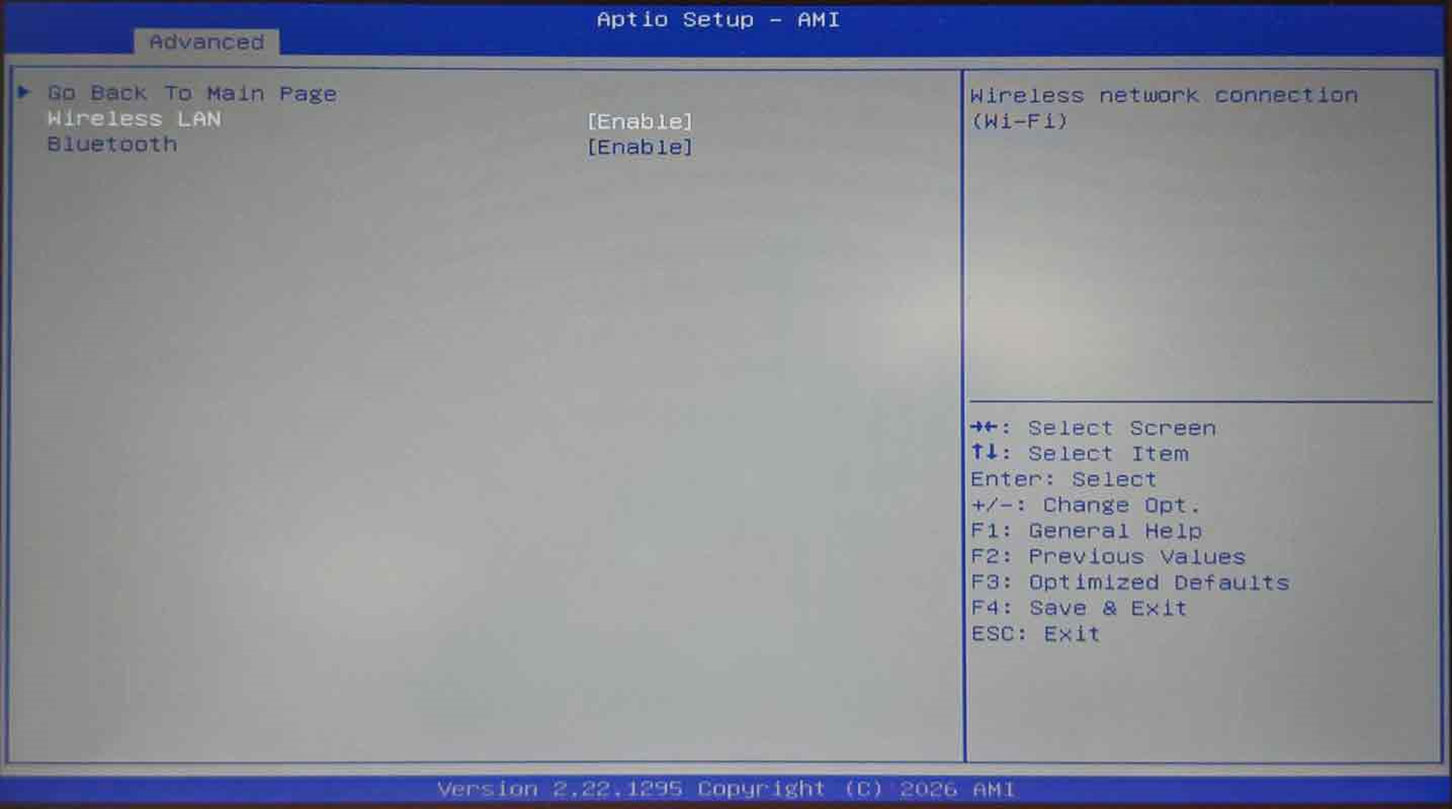
IT teams also get finer control. UEFI now has separate options for enabling and disabling Wi-Fi and Bluetooth, so a site that needs to turn off one radio can keep the other. The UEFI Setup UI now shows system memory information and administrator-password status. Capsule update, the mechanism that delivers firmware to the system, has been updated as well.
The release also includes security bug fixes and improved compatibility with external enclosure devices.
Get Started
Update EdgeXpert through DGX Dashboard today, or download the full NVIDIA DGX OS OTA 2610 image from MSI’s website.
Learn more about MSI EdgeXpert and explore NVIDIA’s DGX Spark playbooks to start building.